
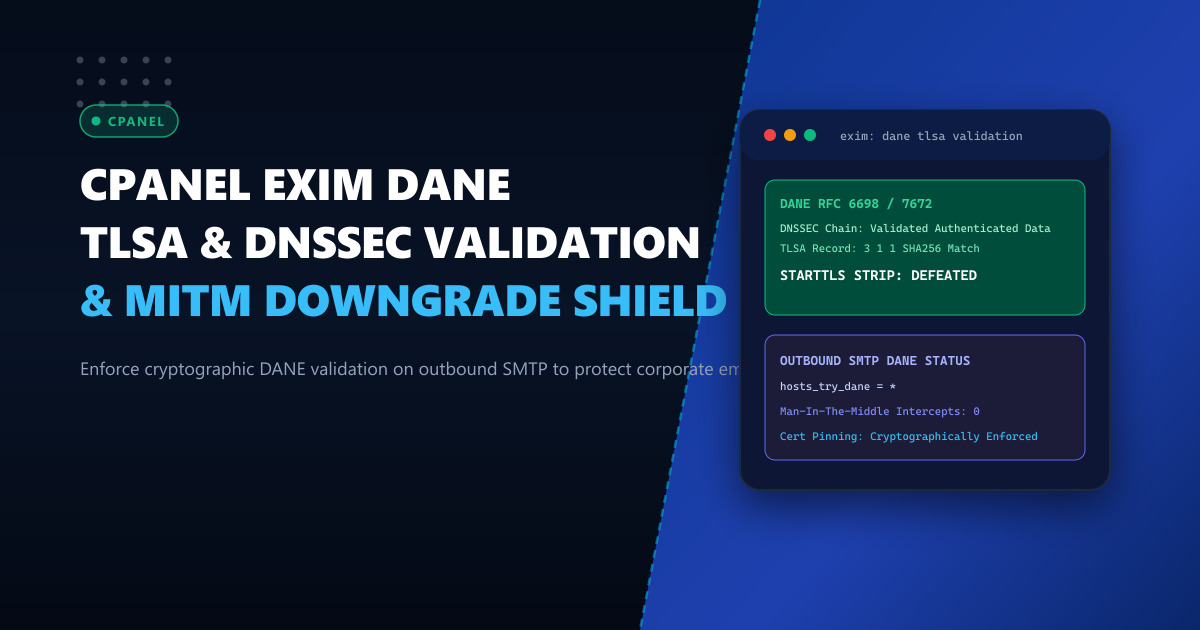
Outbound email encryption across the Internet predominantly relies on opportunistic TLS via the STARTTLS command (RFC 3207). When your cPanel Exim mail transfer agent (MTA) connects to an external recipient server over port 25, it issues an EHLO query, looks for 250-STARTTLS in the response, and requests an upgrade to an encrypted TLS session.
However, opportunistic TLS has a critical architectural vulnerability: it is fail-open and unauthenticated. If an active attacker—such as a rogue ISP router, compromised transit hop, or localized network tap—intercepts the TCP connection and silently deletes STARTTLS from the EHLO response, both mail servers silently fall back to transmitting your corporate emails and sensitive attachments in unencrypted plain text.
This vulnerability is known as a STARTTLS Stripping Attack (MITM downgrade).
To eliminate this threat, the Internet Engineering Task Force (IETF) standardized DANE (DNS-based Authentication of Named Entities for SMTP, RFC 7672). Powered by DNSSEC, DANE allows destination domains to publish cryptographic certificate fingerprints in DNS (TLSA records). When Exim sees a valid TLSA record, it strictly mandates TLS encryption, refusing to transmit plain text if tampering is detected.
The Anatomy of a STARTTLS Stripping Attack
Without DANE, opportunistic TLS fails to protect confidential communication against active adversaries:
[cPanel Exim Server]                                  [Recipient MTA]
        │                                                    │
        ├──────────── SYN / TCP Handshake ──────────────────┤
        ├──────────── EHLO enterprise.pk ───────────────────┤
        │                                                    │
        │       [Intermediate Hop / Malicious Router]       │
        │             Strikes out "250-STARTTLS"             │
        │                                                    │
        ◄──────────── 250-PIPELINING (STARTTLS Stripped!) ───┤
        │                                                    │
[Exim assumes TLS not supported]                             │
        │                                                    │
        ├──────────── MAIL FROM: <ceo@enterprise.pk> ────────► [Received]
        ├──────────── RCPT TO: <bank@partner.com> ───────────► [Intercepted!]
        ├──────────── DATA: (Corporate Secrets in Cleartext) ─► [Eavesdropped!]
When DANE is active, Exim queries the recipient’s nameservers for DNSSEC-signed TLSA records:
[cPanel Exim Server]
        │
    Query DNSSEC for _25._tcp.mail.partner.com (TLSA)
        │
   [Authenticated Data Flag (AD) Present] -> TLSA record found!
        │
[Exim enforces MANDATORY TLS]
        │
If STARTTLS is stripped or certificate fingerprint mismatches:
        │
        ▼
[Exim ABORTS transmission immediately] -> Zero Data Leaked!
Prerequisites: Validating Local DNSSEC Resolution
For Exim to perform DANE validation, the local host resolver must support and validate DNSSEC. Without a DNSSEC-validating local resolver, Exim cannot verify the Authenticated Data (AD) bit.
Verify DNSSEC resolution on your cPanel server:
dig +dnssec +noall +comments _25._tcp.mail.ietf.org TLSACheck that the flags: header in the response includes ad (Authenticated Data):
;; flags: qr rd ra ad; QUERY: 1, ANSWER: 1, AUTHORITY: 0, ADDITIONAL: 1If the ad flag is missing, configure systemd-resolved, Unbound, or BIND to enable DNSSEC validation in /etc/named.conf:
dnssec-validation auto;Deploying mission-critical mail transfer nodes on dedicated hardware such as our low-latency Dedicated Servers provides unshared CPU power and direct access to clean network routing paths.
Step 1: Enabling DANE in Exim Configuration
To configure Exim on cPanel to validate DANE TLSA records on outbound mail, open WHM -> Service Configuration -> Exim Configuration Manager -> Advanced Editor.
Add or update the following runtime directives in the top configuration section:
# Enable DNSSEC lookups in Exim
dns_dnssec_ok = 1

# Enforce DANE opportunistic validation globally
# Exim will require TLS whenever a valid TLSA record is discovered
keep_environment = ^LD_PRELOAD$ : ^PATH$
Next, locate the remote_smtp transport section in Exim Configuration Manager and append:
remote_smtp:
  driver = smtp
  hosts_try_dane = *
  dane_require_tls_ciphers = HIGH:!aNULL:!eNULL:!MD5:!RC4:!3DES
  tls_tempfail_tryclear = false
What these parameters enforce:
hosts_try_dane = *: Tells Exim to check for TLSA records for all outbound destinations. If a valid TLSA record is present in DNSSEC, TLS becomes mandatory. If the recipient domain does not have DANE configured, standard opportunistic TLS is preserved.tls_tempfail_tryclear = false: Strictly forbids falling back to cleartext if TLS negotiation fails with a DANE-enabled host. Instead, Exim queues the message for retry, preventing interception.
Save and click Save at the bottom of WHM to rebuild and restart Exim:
/scripts/restartsrv_eximStep 2: Generating & Publishing Your Domain’s TLSA Record
To allow external DANE-compliant mail servers (such as Microsoft 365, German government servers, and international banks) to cryptographically verify your inbound emails, generate a TLSA record for your mail server.
Extract the SHA-256 fingerprint of your mail server’s public key (SubjectPublicKeyInfo, SPKI):
openssl x509 -in /var/cpanel/ssl/cpanel/mycpanel.pem -pubkey -noout | \
  openssl pkey -pubin -outform DER | \
  openssl dgst -sha256 -binary | \
  hexdump -ve '1/1 "%02x"'
Sample output:
d3b07384d113edec49eaa6238ad5ff00b704c32fe2fd51d45927fa1e57a41284Publish this record in your authoritative DNS zone:
_25._tcp.mail.enterprise.pk. 3600 IN TLSA 3 1 1 d3b07384d113edec49eaa6238ad5ff00b704c32fe2fd51d45927fa1e57a41284Deciphering TLSA Parameters 3 1 1:
- Certificate Usage
3(DANE-EE): Pins a specific end-entity certificate or public key directly without requiring a public Certificate Authority (CA) chain. - Selector
1(SPKI): Pins the Subject Public Key Info. This allows certificate renewals without changing the DNS record, provided the same private key is retained. - Matching Type
1(SHA-256): Cryptographic hash format.
Step 3: Verifying Outbound DANE Verification in Exim Logs
To confirm that Exim is verifying DANE on outbound delivery, send a test email to a DANE-enabled test address (e.g., dane-test@huque.com or test@internet.nl):
exim -v -odq dane-test@huque.com <<< "Subject: DANE Outbound Test"
exim -qf
Inspect /var/log/exim_mainlog:
grep "dane-test@huque.com" /var/log/exim_mainlogExpected log output:
2026-10-01 09:14:22 1tbxyz-0004ab-01 => dane-test@huque.com R=dkim_lookuphost T=remote_smtp H=mail.huque.com [192.0.2.80] DANE [verification succeeded] X=TLS1.3:ECDHE_RSA_AES_256_GCM_SHA384:256 CV=yes DN="CN=mail.huque.com" C="250 2.0.0 Ok: queued as 4XbcD..."Notice the critical indicator: DANE [verification succeeded]. Exim verified the remote TLSA record against the presented TLS certificate and confirmed that no tampering or downgrading took place.
For financial institutions, government contractors, and enterprise businesses running high-security cPanel deployments in Pakistan, evaluate our secure Dedicated Servers in Pakistan.
Lock Down Corporate Email Deliverability with NextGen Dedicated Servers
Protect your brand reputation and ensure 100% encrypted email transmission with hardware-level security, dedicated IPv4/IPv6 subnets, and expert cPanel systems engineering.
Deploy In-Country Dedicated Servers