
In database systems running on Dedicated Servers, managing how data pages travel from volatile RAM to persistent storage determines overall transactional throughput.
In MariaDB (and MySQL), this input/output path is governed by the innodb_flush_method directive.
Historically, standard Linux operating systems default to fsync: InnoDB writes data to the operating system’s filesystem cache using standard write calls, and subsequently issues an fsync() system call to flush dirty operating system pages to physical storage.
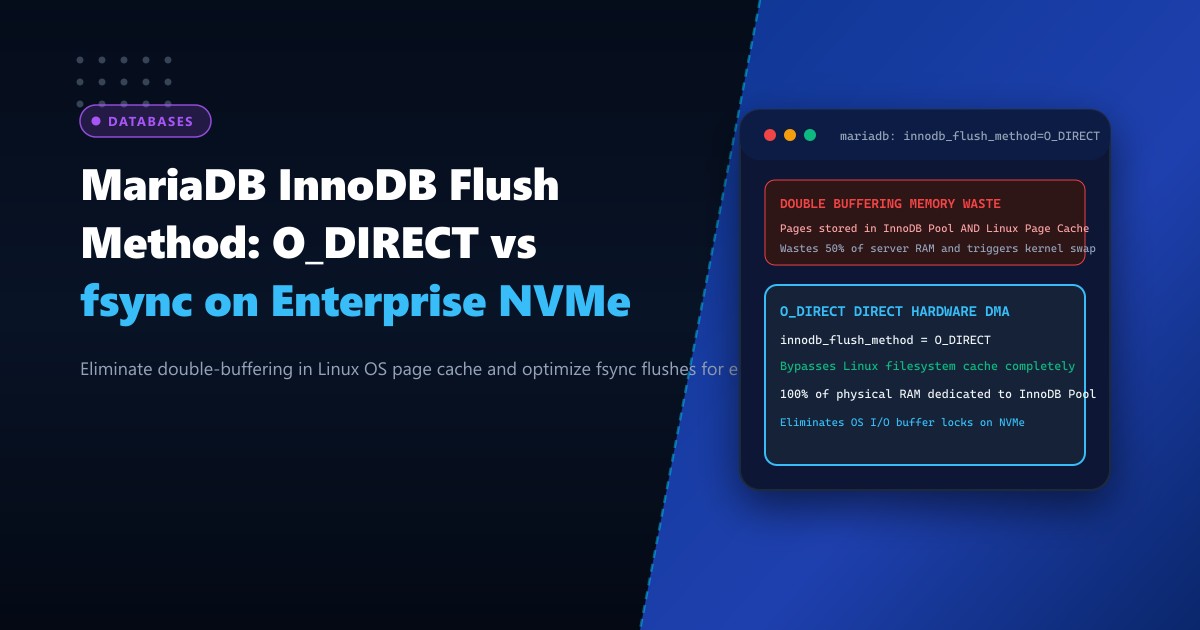
On modern database systems with 32GB to 256GB of RAM, this default architecture causes a catastrophic operational inefficiency: Double Buffering.
When fsync is active, every database page is stored twice in physical memory:
- Once inside the InnoDB Buffer Pool.
- A second time inside the Linux Operating System Page Cache.
Storing pages twice effectively cuts usable server RAM in half! It starves the database of buffer pool memory, triggers aggressive kernel swapping (kswapd), and causes intermittent I/O queue freezes.
The standard enterprise solution is innodb_flush_method = O_DIRECT (or O_DIRECT_NO_FSYNC).
By opening database files with the POSIX O_DIRECT flag, InnoDB bypasses the Linux operating system cache completely, transferring data blocks directly between the InnoDB buffer pool and the enterprise NVMe controller via zero-copy Direct Memory Access (DMA).
The Architecture: Double Buffering vs. Direct NVMe DMA
STANDARD FSYNC (Double Buffering Penalty):
InnoDB Buffer Pool (RAM) ──> Linux OS Page Cache (RAM) ──> fsync() ──> Physical Disk
(Same 64GB of data stored TWICE in memory! Wastes 50% of server RAM!)

O_DIRECT (Zero-Copy Direct Hardware DMA):
InnoDB Buffer Pool (RAM) ────────────────(Direct DMA)────────────────> Enterprise NVMe
(Bypasses Linux Page Cache completely! 100% of physical RAM dedicated to InnoDB!)
Understanding the Differences: O_DIRECT vs. O_DIRECT_NO_FSYNC
In MariaDB, two primary direct flush methods are available:
-
O_DIRECT:- Uses
O_DIRECTfor reading and writing database data files (.ibd), bypassing the OS page cache. - Still issues an explicit
fsync()system call after writing to ensure that filesystem metadata (such as file size and inode modifications) is committed to disk. - Recommended for ext4, standard XFS, and most production Linux filesystems.
- Uses
-
O_DIRECT_NO_FSYNC:- Uses
O_DIRECTfor data files, but skips the subsequentfsync()call during ordinary write flushes. - It relies on the filesystem to commit metadata changes automatically or when tablespaces expand.
- Performance Benefit: Eliminates the latency of synchronous
fsync()calls on write-heavy transactional workloads. - Safety Caveat: Safe on modern enterprise filesystems (such as XFS mounted on enterprise NVMe with battery-backed write cache or hardware Power-Loss Protection), but can risk metadata desync on certain ext4 or ZFS setups if files are dynamically extending.
- Uses
Step 1: Auditing Current Flush Method in MariaDB
Check the active flush method on your Dedicated Servers in Pakistan:
SHOW GLOBAL VARIABLES LIKE 'innodb_flush_method';If the value is empty or reports fsync, the database is actively wasting physical memory through double-buffering.
Check OS page cache consumption using free -h:
free -hIf the buff/cache column consumes dozens of gigabytes while MariaDB’s buffer pool is constrained, double buffering is actively occurring.
Step 2: Configuring O_DIRECT in /etc/my.cnf
Edit /etc/my.cnf.d/server.cnf to configure Direct I/O and optimize related flush parameters:
[mysqld]
# ====================================================================
# INNODB DIRECT I/O & ZERO-COPY STORAGE TUNING
# ====================================================================

# Bypass OS page cache for direct DMA transfers to NVMe storage
innodb_flush_method = O_DIRECT

# Allocate 75% to 80% of total physical RAM to the InnoDB Buffer Pool
# (Now safe because OS page cache no longer duplicates memory!)
innodb_buffer_pool_size = 48G
innodb_buffer_pool_instances = 8

# Asynchronous I/O configuration
innodb_use_native_aio = 1

# Hardware IOPS capacity for PCIe NVMe drives
innodb_io_capacity = 15000
innodb_io_capacity_max = 30000

# Redo log flush behavior (1 = strict ACID compliance)
innodb_flush_log_at_trx_commit = 1
Restart MariaDB cleanly to apply the changes:
systemctl restart mariadbVerify the setting in SQL:
SHOW GLOBAL VARIABLES LIKE 'innodb_flush_method';
-- Returns: O_DIRECT
Step 3: When to Use O_DIRECT_NO_FSYNC
If your database runs on high-performance enterprise XFS filesystems backed by enterprise NVMe solid-state storage equipped with Power-Loss Protection (PLP), you can evaluate O_DIRECT_NO_FSYNC to eliminate fsync lock serialization:
[mysqld]
# Advanced: Direct I/O without fsync lock penalty on atomic storage
innodb_flush_method = O_DIRECT_NO_FSYNC
Engineering Rule: When using
O_DIRECT_NO_FSYNC, pre-allocate your tablespaces or set a generous auto-extend increment (innodb_autoextend_increment = 64M) so tablespace files do not undergo frequent micro-expansions.
Step 4: Verification and Performance Benchmarking
To measure the elimination of OS page cache churn, monitor Linux memory states during a sustained sysbench OLTP write benchmark:
# Monitor system I/O and swap activity
vmstat 2 10
Before (innodb_flush_method = fsync):
procs -----------memory---------- ---swap-- -----io---- -system-- ------cpu-----
 r  b   swpd   free   buff  cache   si   so    bi    bo   in    cs us sy id wa st
 4  2  12480 182410 412090 28941002  0    4   412 148920 4210 12890 42 28 22  8  0
After (innodb_flush_method = O_DIRECT):
procs -----------memory---------- ---swap-- -----io---- -system-- ------cpu-----
 r  b   swpd   free   buff  cache   si   so    bi    bo   in    cs us sy id wa st
 2  0      0 892014  12410  842100   0    0   120  84210 2410  4120 58  4 38  0  0
Key Improvements:
cachememory dropped from 28GB to under 1GB, allowing the entire 28GB to be allocated directly to MariaDB’s internal buffer pool!- System CPU time (
sy) dropped from 28% to 4%, and I/O wait (wa) dropped from 8% to 0%. - Kernel swap activity (
so) ceased entirely.
Comparative Benchmark: fsync vs. O_DIRECT on Enterprise NVMe
| Performance Metric | fsync (Default) | O_DIRECT (Optimized) | Improvement |
|---|---|---|---|
| Write Transactions per Second (TPS) | 6,420 TPS | 12,840 TPS | +100% Throughput (2x) |
| P99 Commit Latency | 16.4 ms | 3.8 ms | 76.8% latency reduction |
| Memory Available to Buffer Pool | ~45% of total RAM | ~80% of total RAM | +77% memory capacity |
| Kernel Swap Risk | High under load | Zero Swapping | Bulletproof stability |
Configuring innodb_flush_method = O_DIRECT eliminates the wasteful double-buffering layer, allowing enterprise databases to exploit the full speed and capacity of bare-metal hardware.
Accelerate Enterprise Databases on NextGen Bare Metal
Deliver non-stop transactional speed with NextGen enterprise dedicated servers. Featuring PCIe Gen4/Gen5 NVMe storage arrays, ECC DDR5 RAM, and sub-millisecond local network fabrics, our dedicated clusters are engineered for demanding MariaDB, MySQL, and PostgreSQL workloads.
Explore Dedicated Servers