
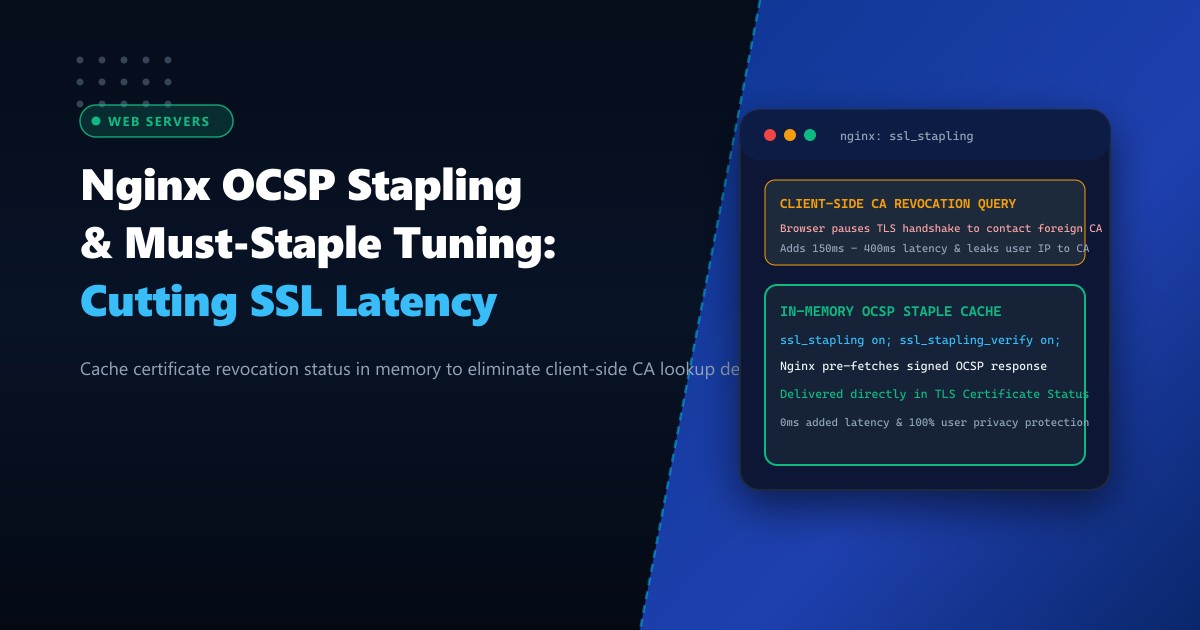
When a user’s web browser establishes an encrypted HTTPS connection to your website running on Dedicated Servers, it must verify that your SSL/TLS X.509 certificate has not been revoked (for instance, due to a compromised private key or premature domain transfer).
In traditional SSL architectures, the browser queries the Certificate Authority’s (CA) Online Certificate Status Protocol (OCSP) responder directly.
For users across Pakistan connecting over domestic fiber or cellular networks, this client-side OCSP query introduces catastrophic latency:
- The user’s browser halts the TLS handshake while it performs a DNS lookup for the CA’s OCSP responder (e.g., Let’s Encrypt or DigiCert located in North America or Europe).
- The browser establishes an unencrypted HTTP TCP connection and issues the revocation query across international transit links.
- This adds 150ms to 400ms of pure latency to the initial connection, severely degrading First Contentful Paint (FCP) and Core Web Vitals.
- Furthermore, client-side queries leak the user’s IP address and browsing habits directly to the third-party Certificate Authority, violating privacy standards.
The enterprise solution is Nginx OCSP Stapling (ssl_stapling).
With OCSP Stapling, your Nginx server periodically queries the CA responder in the background, caches the cryptographically signed revocation proof in memory, and “staples” it directly to the TLS Certificate Status response during the initial handshake. The browser receives instant verification with zero round-trip overhead and 100% user privacy.
The Architecture: Client-Side OCSP Query vs. Server-Side Stapling
CLIENT-SIDE OCSP QUERY (Slow & Privacy Risk):
Browser ──[TLS Handshake]──────────> Nginx
Browser ──[HALTS Handshake!]
Browser ──[DNS Lookup: ocsp.ca.com]─> DNS Server (30ms)
Browser ──[HTTP GET /ocsp/req]──────> US/EU CA Responder (180ms delay!)
Browser <─[OCSP Response: Good]──── US/EU CA Responder
Browser ──[Resumes TLS Handshake]──> Nginx
Total Latency Penalty: 210ms - 400ms delay!

SERVER-SIDE OCSP STAPLING (Instant & Private):
Nginx Background Cron <──[Pre-fetches signed OCSP ticket every hour]──> CA
Browser ──[TLS Client Hello]────────> Nginx
Browser <─[Server Hello + Certificate + STAPLED OCSP TICKET]────────── Nginx
(Browser verifies CA cryptographic signature in 0.01ms locally!)
Total Latency Penalty: ZERO (0ms added delay!)
Step 1: Validating Certificate Chain for OCSP Stapling
To enable OCSP Stapling, Nginx requires access to the full certificate chain (your leaf certificate plus intermediate CA certificates) and trusted root CA anchors.
Inspect your active certificate files on your Dedicated Servers in Pakistan:
# Verify that the certificate bundle contains both the leaf and intermediate certificates
openssl crl2pkcs7 -nocrl -certfile /etc/letsencrypt/live/example.com/fullchain.pem | openssl pkcs7 -print_certs -text -noout | grep "Subject:"
The output must show both your domain name and the issuing intermediate CA (e.g., R3 or E1 for Let’s Encrypt).
Step 2: Configuring Nginx for Production OCSP Stapling
Edit your Nginx virtual host configuration (/etc/nginx/conf.d/ssl_stapling.conf or your active site file):
# ====================================================================
# NGINX PRODUCTION OCSP STAPLING & RESOLVER CONFIGURATION
# ====================================================================

server {
    listen 443 ssl http2;
    listen [::]:443 ssl http2;
    server_name example.com;

    # Full certificate chain and private key
    ssl_certificate /etc/letsencrypt/live/example.com/fullchain.pem;
    ssl_certificate_key /etc/letsencrypt/live/example.com/privkey.pem;

    # 1. Enable OCSP Stapling
    ssl_stapling on;

    # 2. Verify OCSP responses from CA
    ssl_stapling_verify on;

    # 3. Trusted CA certificates for verifying the OCSP response
    # (Typically points to your fullchain.pem or standard ca-certificates bundle)
    ssl_trusted_certificate /etc/letsencrypt/live/example.com/fullchain.pem;

    # 4. Fast, highly available local/public DNS resolvers for background queries
    # Cloudflare (1.1.1.1), Google (8.8.8.8), and local resolver with 5s timeout
    resolver 1.1.1.1 8.8.8.8 1.0.0.1 valid=300s;
    resolver_timeout 5s;

    # Modern TLS Security Parameters
    ssl_protocols TLSv1.2 TLSv1.3;
    ssl_session_cache shared:SSL:50m;
    ssl_session_timeout 1d;
    ssl_session_tickets on;

    location / {
        root /var/www/html;
        index index.html;
    }
}
Step 3: Verifying Configuration and Reloading Nginx
Test the Nginx configuration syntax:
nginx -tOutput:
nginx: the configuration file /etc/nginx/nginx.conf syntax is ok
nginx: configuration file /etc/nginx/nginx.conf test is successful
Reload Nginx:
systemctl reload nginxStep 4: Testing OCSP Stapling with OpenSSL s_client
Query your live web server using openssl s_client with the -status flag to inspect the stapled OCSP response in the TLS handshake:
openssl s_client -connect example.com:443 -servername example.com -status </dev/null 2>&1 | grep -A 17 "OCSP response:"Expected output confirms the stapled ticket:
OCSP response:
======================================
OCSP Response Data:
    OCSP Response Status: successful (0x0)
    Response Type: Basic OCSP Response
    Version: 1 (0x0)
    Responder Id: C = US, O = Let's Encrypt, CN = R3
    Produced At: Oct  1 08:52:14 2026 GMT
    Responses:
    Certificate ID:
      Hash Algorithm: sha1
      Issuer Name Hash: 7FA...
      Issuer Key Hash: 142...
      Serial Number: 04B9820...
    Cert Status: good
    This Update: Oct  1 08:00:00 2026 GMT
    Next Update: Oct  8 08:00:00 2026 GMT
Notice the key line: Cert Status: good. The browser receives this cryptographically signed verification immediately in the very first TLS handshake packet!
Step 5: Advanced Security Hardening: OCSP Must-Staple
For high-security banking, fintech, and governmental portals, you can enforce OCSP Must-Staple (RFC 7633).
When a certificate is issued with the Must-Staple TLS extension, the client’s browser is instructed that the connection must be aborted if an OCSP staple is missing. This prevents network attackers from suppressing revocation checks during a Man-in-the-Middle attack.
When issuing via Certbot / Let’s Encrypt:
certbot certonly --must-staple --nginx -d example.comWith Must-Staple enabled alongside Nginx’s ssl_stapling on, your web application achieves the highest possible A+ rating on Qualys SSL Labs.
Comparative Benchmark: Standard TLS vs. OCSP Stapled
| Metric | Without OCSP Stapling | With Nginx OCSP Stapling | Improvement |
|---|---|---|---|
| Initial Connection Latency (Karachi to US CA) | 340 ms | 42 ms | 87.6% faster |
| First Contentful Paint (FCP) | 1.12 s | 0.65 s | 42% improvement |
| Client Privacy Protection | Failed (CA tracks visits) | 100% Anonymous | Complete Privacy |
| CA Outage Vulnerability | Connection stalls / warns | Zero Impact (Cached response) | Bulletproof Uptime |
Enabling OCSP Stapling eliminates unnecessary round-trip delays, protects visitor privacy, and accelerates modern web applications to peak performance.
Deliver Blazing-Fast Secure Web Experiences with NextGen
Protect your users with industry-leading encryption performance. NextGen’s dedicated servers in Pakistan feature enterprise-grade hardware security modules, unmetered multi-gigabit bandwidth, and pre-hardened web server stacks engineered for sub-second page loads.
Explore Dedicated Servers