
Node.js has become the foundational runtime for Pakistan’s rapidly expanding tech ecosystem—powering real-time fintech applications, ride-hailing APIs, high-throughput e-commerce microservices, and interactive web apps built with Next.js, Nuxt, and NestJS.
However, selecting the right web host for Node.js in Pakistan is vastly different from selecting hosting for a traditional PHP or WordPress website.
While PHP scripts execute on demand and terminate immediately after returning an HTML response, a Node.js application is a long-running, persistent event-driven server process that binds to an internal network port (e.g., localhost:3000).
In this technical guide, we break down why budget shared hosting creates fatal bottlenecks for JavaScript applications, compare deployment architectures, and show you how to configure a production-ready Node.js stack on high-performance Cloud VPS.
🚫 Why Traditional Shared cPanel Hosting Fails for Node.js
Many web hosts in Pakistan advertise “Node.js Support” on shared cPanel hosting accounts through CloudLinux NodeJS Selector or Phusion Passenger.
While this works for tiny proof-of-concept student scripts, it frequently fails in production:
| Architecture Requirement | Shared cPanel Hosting (Passenger) | Nextgen Developer Cloud VPS |
|---|---|---|
| Process Model | Wrapped inside Apache/Passenger proxy; high memory overhead. | Native Node.js Runtime managed directly by Linux kernel. |
| Port Binding | Random dynamically assigned internal sockets. | Direct Dedicated Port Binding (3000, 8080, etc.). |
| Clustering (Multi-Core) | Forbidden; capped to a single single-threaded vCPU core. | PM2 Cluster Mode utilizing all available CPU hardware cores. |
| WebSocket Support | Unstable; timeouts and dropped connections under load. | Full Bi-Directional WebSocket Support (ws://, wss://). |
| Background Daemons | Terminated after 60-120 seconds of CPU inactivity. | Persistent 24/7 Daemons running queue workers and schedulers. |
Build Tools (npm run build) |
Process killed due to cPanel physical memory limits. | Uncapped RAM & CPU for fast Next.js & TypeScript builds. |
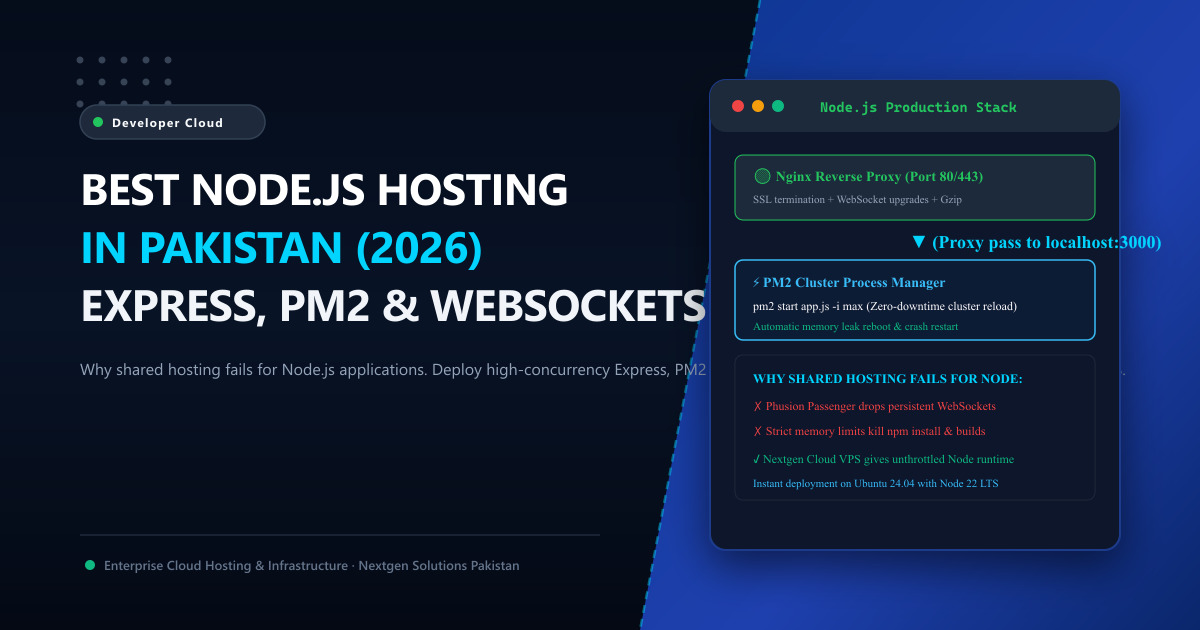
⚙️ The Production Node.js Architecture Blueprint
To achieve enterprise-level uptime, fault tolerance, and blazing-fast response times, senior DevOps engineers implement a three-tier architecture:
[ Visitor / Client Browser ]
             │ (HTTPS / 443)
             ▼
   [ Nginx Reverse Proxy ]
   (SSL Termination + Static Asset Caching + Gzip/Brotli)
             │ (HTTP / Unix Socket)
             ▼
   [ PM2 Process Manager ]
   (Cluster Mode: Fork 1 Process per CPU Core)
             │
      ┌──────┴──────┐
      ▼             ▼
[ Node.js Worker 1 ] [ Node.js Worker 2 ]
             │
             ▼
[ In-Memory Redis + PostgreSQL / MongoDB ]
1. Reverse Proxying with Nginx
Nginx sits at the edge, handling SSL certificates, DDoS mitigation, and static asset delivery, while forwarding API traffic to your internal Node.js port:
server {
    listen 80;
    server_name api.nextgen.pk;
    return 301 https://$host$request_uri;
}

server {
    listen 443 ssl http2;
    server_name api.nextgen.pk;

    ssl_certificate /etc/letsencrypt/live/api.nextgen.pk/fullchain.pem;
    ssl_certificate_key /etc/letsencrypt/live/api.nextgen.pk/privkey.pem;

    # Gzip Compression
    gzip on;
    gzip_types text/plain application/json application/javascript text/css;

    location / {
        proxy_pass http://127.0.0.1:3000;
        proxy_http_version 1.1;

        # WebSocket headers
        proxy_set_header Upgrade $http_upgrade;
        proxy_set_header Connection 'upgrade';

        # Real client IP forwarding
        proxy_set_header Host $host;
        proxy_set_header X-Real-IP $remote_addr;
        proxy_set_header X-Forwarded-For $proxy_add_x_forwarded_for;
        proxy_set_header X-Forwarded-Proto $scheme;

        proxy_cache_bypass $http_upgrade;
        proxy_read_timeout 60s;
    }
}
2. High-Availability Process Management with PM2
If an uncaught JavaScript exception occurs in vanilla Node.js, the entire server process crashes and your website goes offline.
Using PM2 (Production Process Manager) ensures:
- Instant Auto-Restart: If an unhandled exception occurs, PM2 resurrects the process in milliseconds.
- Cluster Mode: Runs multiple Node.js instances across all CPU cores without changing a single line of your code.
- Zero-Downtime Reloads: Deploys updates sequentially (
pm2 reload all) without dropping active customer connections.
Create an ecosystem.config.cjs file in your project root:
module.exports = {
  apps: [{
    name: "production-api",
    script: "./dist/index.js",
    instances: "max",       // Spawns 1 worker per CPU core
    exec_mode: "cluster",   // Enables cluster load balancing
    watch: false,
    max_memory_restart: "1G", // Auto-restart if memory leak exceeds 1GB
    env: {
      NODE_ENV: "production",
      PORT: 3000
    }
  }]
};
Start your cluster with a single command:
pm2 start ecosystem.config.cjs
pm2 save
pm2 startup systemd
⚡ The Latency Advantage: Why Local Hosting Matters for Node.js APIs
Node.js is frequently chosen for microservices, mobile backends, and fintech applications where latency is directly tied to business conversions.
When you host your Node.js application in foreign datacenters (such as AWS Bahrain, DigitalOcean Frankfurt, or Hetzner Nuremberg):
- Every HTTP handshake traverses submarine undersea cables (SEA-ME-WE 4 / 5 or AAE-1).
- Base network latency from Pakistani ISPs (PTCL, Nayatel, StormFiber, Jazz) ranges between 140ms and 210ms.
- If a mobile app makes 3 sequential API requests during checkout, the user waits over half a second purely due to network distance!
When deployed on Nextgen Cloud VPS in Pakistan or bare-metal Dedicated Servers:
- Traffic is peered locally at the Pakistan Internet Exchange (PkIX) in Islamabad.
- Network round-trip latency drops to sub-15 milliseconds across all major domestic networks!
- End users experience near-instantaneous screen transitions and real-time WebSocket interactions.
📋 Checklist for Selecting Node.js Hosting in Pakistan
Before paying for hosting, ensure the provider satisfies these criteria:
- Full Root Access: You must have full
sudoprivileges to install any Node.js LTS version vianvm, configure systemd services, and install native build tools (gcc,g++,make). - NVMe PCIe Gen4/Gen5 Storage: Node applications frequently read and write temporary data, and
node_modulesfolders contain thousands of small files. NVMe storage acceleratesnpm installand build steps by up to 10x compared to legacy SATA SSDs. - Dedicated vCPU & RAM Allocation: Avoid container overselling where neighboring tenants starve your event loop. Nextgen KVM virtualization guarantees 100% reserved hardware threads.
- Automated Snapshot Backups: Daily full-image snapshots ensure that if an accidental dependency upgrade corrupts your environment, you can roll back your entire VPS in seconds.
📚 Related Technical Guides & Reading
- Best Laravel Hosting in Pakistan: Why Shared Hosting Fails & How to Deploy on Cloud VPS – Explore production deployment architecture for high-performance frameworks.
- LiteSpeed vs. Nginx: Which Web Server Delivers Maximum Speed? – Complete technical comparison of event-driven reverse proxies.
- Redis vs. Memcached: Which In-Memory Cache Wins for High Concurrency? – Accelerate API responses with in-memory caching and session storage.
Deploy Production Node.js Cloud VPS in Pakistan Today
Stop struggling with shared cPanel limits. Deploy your Node.js, Express, and Next.js applications on high-performance KVM Cloud VPS with full root access, unmetered bandwidth, and sub-15ms local PkIX latency across Pakistan.
