
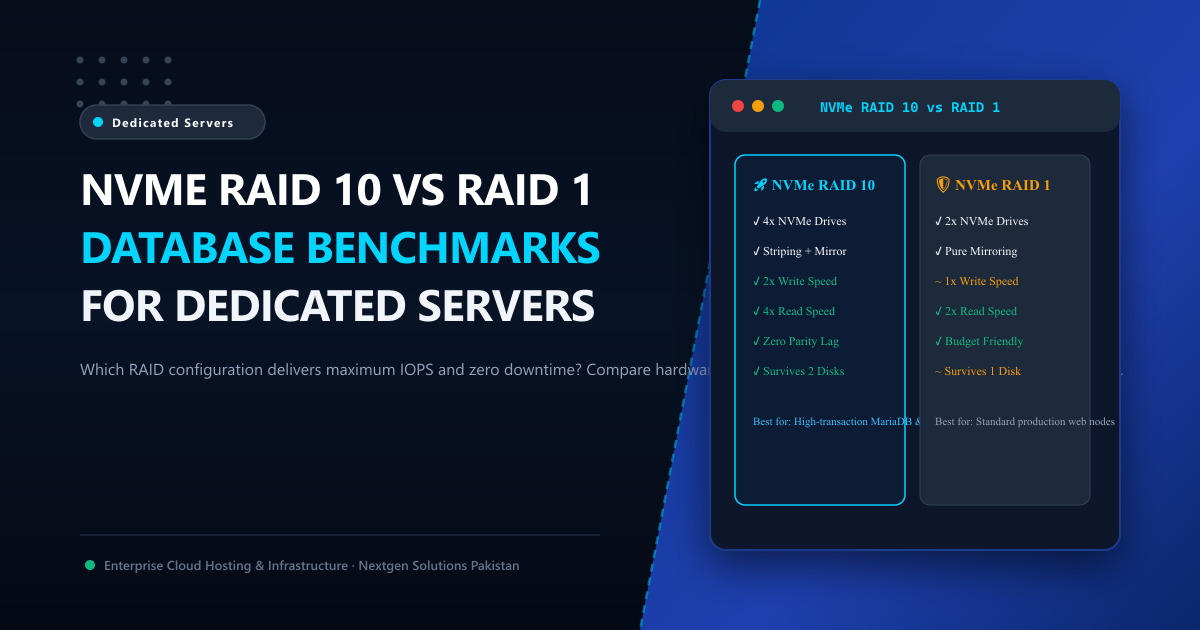
When configuring enterprise bare-metal dedicated servers for high-concurrency relational databases (such as Daraz-scale WooCommerce catalogs, banking core ledgers, or fintech transaction switches), raw NVMe storage speed is only half of the equation.
A single NVMe drive—no matter how fast—represents a catastrophic Single Point of Failure (SPOF). If an unmirrored drive suffers a sudden NAND controller lockup or electrical fault, your production database crashes, transactions corrupt, and restoring from offsite backups can take hours of agonizing downtime.
To deliver hardware redundancy without sacrificing sub-millisecond query performance, Linux database architects deploy Redundant Arrays of Independent Disks (RAID).
However, choosing between RAID 1 (Mirroring) and RAID 10 (Striping + Mirroring) is one of the most critical decisions you will make. In this engineering benchmark guide, we compare RAID 10 and RAID 1 across read/write IOPS, evaluate Linux software RAID (mdadm) versus hardware Tri-Mode controllers, and explain why high-write database workloads require RAID 10.
🏗️ Storage Mechanics: How RAID 1 and RAID 10 Work
[ RAID 1: Pure Mirroring (2 Drives) ]
Write Request ──► Disk 1 (Data Block A)  &  Disk 2 (Exact Replica of A)
- Write Speed: 1x (Identical to a single disk)
- Read Speed: Up to 2x (Parallel reads from both disks)
- Storage Efficiency: 50% (Two 2TB drives = 2TB usable space)

[ RAID 10: Striping + Mirroring (Minimum 4 Drives) ]
                    Write Request
                   /             \
       [ Stripe 0: Data A ]       [ Stripe 1: Data B ]
         /            \             /            \
    Disk 1 (A)    Disk 2 (A)    Disk 3 (B)   Disk 4 (B)
    (Mirror 0)    (Mirror 0)    (Mirror 1)   (Mirror 1)
- Write Speed: 2x (Writes striped across two mirror pairs simultaneously)
- Read Speed: 4x (Parallel reads distributed across all 4 disks)
- Storage Efficiency: 50% (Four 2TB drives = 4TB usable space)
📊 Performance Comparison Matrix: RAID 1 vs. RAID 10
| Architectural Metric | NVMe RAID 1 (2x NVMe Drives) | NVMe RAID 10 (4x NVMe Drives) |
|---|---|---|
| Minimum Drive Count | 2 Disks | 4 Disks |
| Sequential Read Throughput | ~14,000 MB/s (Gen4) | ~28,000 MB/s (Gen4) |
| Sequential Write Throughput | ~6,800 MB/s | ~13,500 MB/s (2x Write Scaling) |
| Random 4K Read IOPS | ~2,000,000 IOPS | ~4,000,000+ IOPS |
| Random 4K Write IOPS | ~800,000 IOPS | ~1,600,000+ IOPS |
| Parity Calculation Penalty | Zero (No XOR parity math) | Zero (No XOR parity math) |
| Fault Tolerance | Can survive 1 failed drive | Can survive up to 2 failed drives (1 per mirror pair) |
| Disk Rebuild Performance | Moderate rebuild impact | Fastest rebuild time; zero parity recalculation |
| Ideal Workloads | Web servers, staging, read-heavy CMS | High-write MySQL, MariaDB, PostgreSQL, Redis |
🚫 Why You Must NEVER Use RAID 5 or RAID 6 for Databases
Many junior sysadmins attempt to configure NVMe RAID 5 to gain “more usable storage space” (e.g., three 2TB drives giving 4TB usable instead of 2TB).
For high-write databases, RAID 5 is an architectural catastrophe:
- The Write Penalty (4 I/Os per Write): For every single database write to a RAID 5 array, the controller must perform: Read old data, Read old parity, Calculate new parity, Write new data, Write new parity.
- Rebuild Degradation: If a drive fails in RAID 5, rebuilding the array requires reading 100% of all data on every remaining disk. On multi-terabyte drives, this parity recalculation saturates CPU and disk queues for hours, frequently causing a second drive to fail under the stress, destroying the entire array permanently!
- RAID 10 Has Zero Write Penalty: Data is simply written directly to both mirrors with zero mathematical overhead.
⚙️ Software RAID (mdadm) vs. Hardware Tri-Mode RAID for NVMe
Historically, hardware RAID controllers (like MegaRAID) were required for spinning disks. In the NVMe era, the landscape has inverted:
1. Linux Software RAID (mdadm):
- Modern NVMe drives communicate directly over PCIe lanes to the CPU root complex.
- Linux
mdadmincurs near-zero CPU overhead because modern AMD EPYC and Intel Xeon processors have dedicated hardware cryptographic acceleration instructions. - If your server motherboard or controller fails, you can move the physical NVMe drives to any other Linux machine and mount the
mdadmarray instantly without proprietary controller dependencies!
Creating a Production NVMe RAID 10 with mdadm:
sudo mdadm --create /dev/md0 --level=10 --raid-devices=4 \
    /dev/nvme0n1 /dev/nvme1n1 /dev/nvme2n1 /dev/nvme3n1

# Format with optimized XFS filesystem (Recommended for MySQL/MariaDB)
sudo mkfs.xfs -f -d su=64k,sw=2 /dev/md0
🏢 Enterprise Bare-Metal Hosting in Tier-3 Pakistani Datacenters
Deploying custom 4-drive NVMe RAID 10 arrays requires enterprise server chassis with dedicated PCIe Gen4/Gen5 backplanes, redundant hot-swap power supplies, and out-of-band IPMI remote management.
By provisioning Nextgen bare-metal Dedicated Servers in Pakistan or global Dedicated Servers:
- We deliver turnkey 4-drive and 8-drive NVMe RAID 10 configurations with enterprise U.2/U.3 drives.
- Benefit from automated hardware drive health monitoring with instant hot-spare replacement.
- Enjoy direct peering with the Pakistan Internet Exchange (PkIX) for sub-10ms domestic query response times.
📚 Related Technical Architecture Guides & Reading
- What is PCIe Gen5 NVMe Web Hosting? 14,000 MB/s Speeds Explained – Deep-dive into next-generation NVMe throughput and IOPS.
- MariaDB Galera Cluster on Bare-Metal Servers: High Availability Playbook – Eliminate replication delay and build resilient multi-node database clusters.
- What is Dedicated Hosting: 100% Bare-Metal Performance Explained – Unshared hardware RAID arrays, unthrottled CPU cores, and IPMI management.
Deploy Bare-Metal NVMe Database Servers in Pakistan
Eliminate database I/O bottlenecks and protect your data from disk failure. Nextgen provisions custom enterprise AMD EPYC dedicated servers equipped with 4-drive NVMe RAID 10 storage arrays in Tier-3 Islamabad datacenters.
